openapi-typesafe-fetch
openapi-typesafe-fetch is a type-safe fetch client that pulls in your OpenAPI schema. It weighs about 9 kB minified (3.5 kB gzipped), has virtually zero runtime, and works with React, Vue, Svelte, or vanilla JS. It is a drop-in successor to openapi-fetch 0.17: in most projects you change only the import. The migration guide lists the few differences.
The syntax is inspired by popular libraries like react-query or Apollo client, but without all the bells and whistles and in a small package.
import createClient from "openapi-typesafe-fetch";
import type { paths } from "./my-openapi-3-schema"; // generated by openapi-typesafe

const client = createClient<paths>({ baseUrl: "https://myapi.dev/v1/" });

const {
  data, // only present if 2XX response
  error, // only present if 4XX or 5XX response
} = await client.GET("/blogposts/{post_id}", {
  params: {
    path: { post_id: "123" },
  },
});

await client.PUT("/blogposts", {
  body: {
    title: "My New Post",
  },
});
data and error are typechecked and expose their shapes to Intellisense in VS Code (and any other IDE with TypeScript support). Likewise, the request body will also typecheck its fields, erring if any required params are missing, or if there’s a type mismatch.
GET(), PUT(), POST(), etc. are thin wrappers around the native fetch API (which you can swap for any call).
Notice there are no generics, and no manual typing. Your endpoint’s request and response were inferred automatically. This is a huge improvement in the type safety of your endpoints because every manual assertion could lead to a bug! This eliminates all of the following:
- No typos in URLs or params
- All parameters, request bodies, and responses are type-checked against your schema
- No manual typing of your API
- Eliminates
anytypes that hide bugs - Also eliminates
astype overrides that can also hide bugs - All of this in a 9 kB (minified) client package
Setup
Install this library along with openapi-typesafe:
npm i openapi-typesafe-fetch
npm i -D openapi-typesafe typescript
Highly recommended
Enable noUncheckedIndexedAccess in your tsconfig.json (docs)
Next, generate TypeScript types from your OpenAPI schema using openapi-typesafe:
npx openapi-typesafe ./path/to/api/v1.yaml -o ./src/lib/api/v1.d.tsNode.js without a bundler
Set "module" and "moduleResolution" to "NodeNext" in tsconfig.json and "type": "module" in package.json, and import the types with the .js extension: import type { paths } from "./lib/api/v1.js". "Bundler" type-checks, but Node then fails to find imports without an extension.
Lastly, be sure to run typechecking in your project. This can be done by adding tsc --noEmit to your npm scripts like so:
{
  "scripts": {
    "test:ts": "tsc --noEmit"
  }
}
And run npm run test:ts in your CI to catch type errors.
TIP
Use tsc --noEmit to check for type errors rather than relying on your linter or your build command. Nothing will typecheck as accurately as the TypeScript compiler itself.
Basic usage
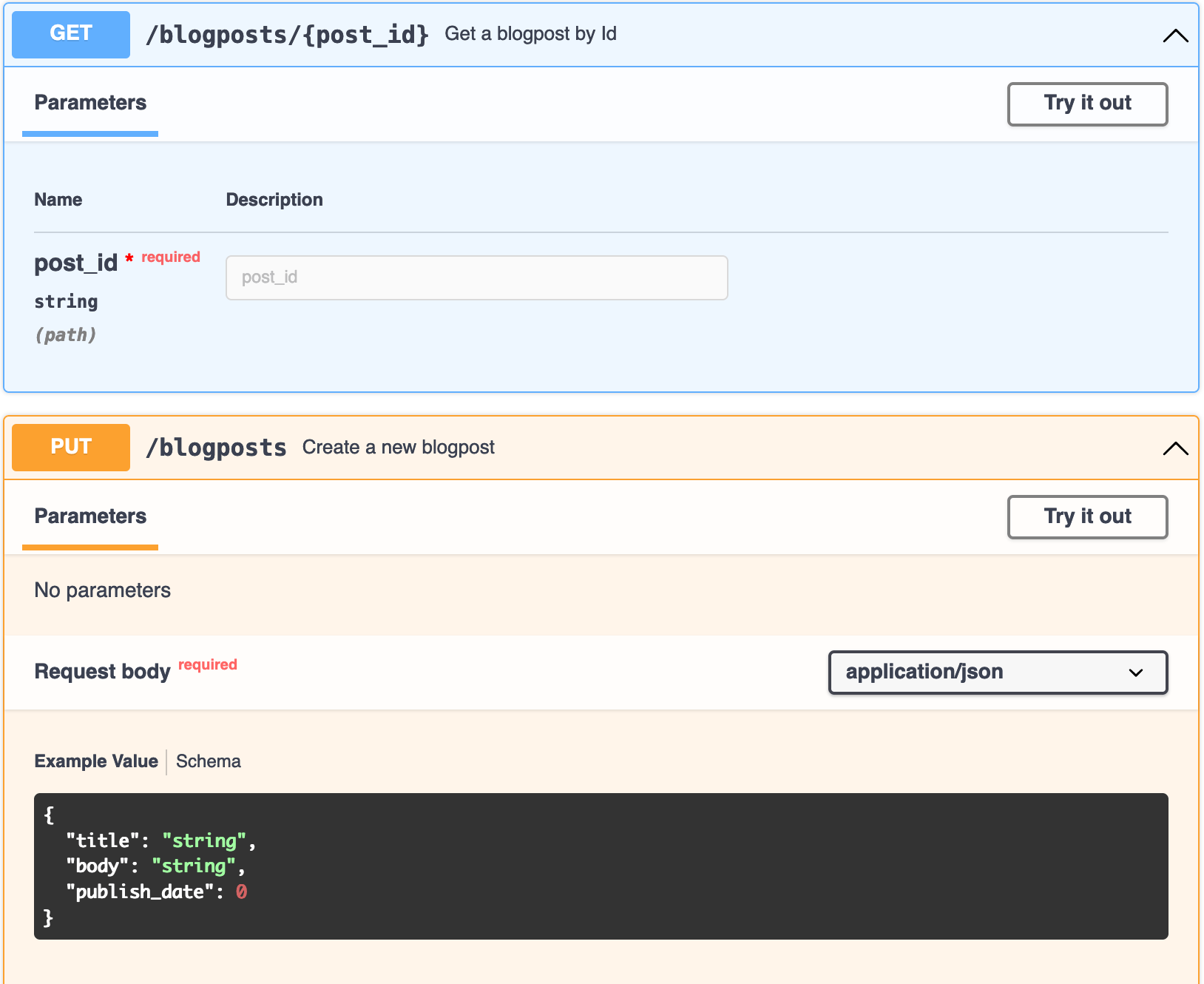
The best part about using openapi-typesafe-fetch over oldschool codegen is no documentation needed. openapi-typesafe-fetch encourages using your existing OpenAPI documentation rather than trying to find what function to import, or what parameters that function wants:
import createClient from "openapi-typesafe-fetch";
import type { paths } from "./my-openapi-3-schema"; // generated by openapi-typesafe

const client = createClient<paths>({ baseUrl: "https://myapi.dev/v1/" });

const { data, error } = await client.GET("/blogposts/{post_id}", {
  params: {
    path: { post_id: "my-post" },
    query: { version: 2 },
  },
});

const { data: updated, error: updateError } = await client.PUT("/blogposts", {
  body: {
    title: "New Post",
    body: "<p>New post body</p>",
    publish_date: new Date("2023-03-01T12:00:00Z").getTime(),
  },
});- You call the method (
GET(),PUT(), …) on the client thatcreateClient()returns - You pass in your desired
pathtoGET(),PUT(), etc. - TypeScript takes over the rest and returns helpful errors for anything missing or invalid
Pathname
The pathname of GET(), PUT(), POST(), etc. must match your schema literally. Note in the example, the URL is /blogposts/{post_id}. This library will quickly replace all path params for you (so they can be typechecked).
TIP
openapi-typesafe-fetch infers types from the URL. Prefer static string values over dynamic runtime values, e.g.:
- Good:
"/blogposts/{post_id}" - Bad:
[...pathParts].join("/") + "{post_id}"
Reading type errors
A wrong path is reported on the arguments, not on the path string:
- A path that is not in the schema, such as
client.GET("/blogposts/5")instead of"/blogposts/{post_id}", givesExpected 2 arguments, but got 1. Pass the options object to see the real cause:Argument of type '"/blogposts/5"' is not assignable to parameter of type 'PathsWithMethod<paths, "get">'. - A path that exists but has no such method gives
not assignable to parameter of type 'never'.
This library also supports the label and matrix serialization styles as well (docs) automatically.
Request
The GET() request shown needed the params object that groups parameters by type (path or query). If a required param is missing, or the wrong type, a type error will be thrown.
The PUT() request required a body object that provided all necessary requestBody data.
Response
All methods return an object with data, error, and response.
const { data, error, response } = await client.GET("/url");| Object | Response |
|---|---|
data | 2xx response if OK; otherwise undefined |
error | 5xx, 4xx, or default response if not OK; otherwise undefined |
response | The original Response which contains status, headers, etc. |
default describes every status the operation does not declare. So when an operation declares no 2xx response, data has the type of default (and error too): a success can only be a default one. With a 2xx response declared, default types only error.
WARNING
A 4xx / 5xx response without a body has error: undefined, so if (error) alone does not catch it. Check response.ok too:
const { data, error, response } = await client.GET("/url");
if (error !== undefined || !response.ok) {
  // handle the failure
}
Path-property style
If you prefer selecting the path as a property, you can create a path based client:
import { createPathBasedClient } from "openapi-typesafe-fetch";
import type { paths } from "./my-openapi-3-schema"; // generated by openapi-typesafe

const client = createPathBasedClient<paths>({
  baseUrl: "https://myapi.dev/v1",
});

client["/blogposts/{post_id}"].GET({
  params: {
    path: { post_id: "my-post" },
    query: { version: 2 },
  },
});
Note that this has performance implications and does not allow to attach middlewares directly. See wrapAsPathBasedClient for more.
Large schemas
A schema with hundreds of paths works with both styles. Until the path you type is a known path, TypeScript checks the call against every path of the method, so a wrong path is reported on the path (Argument of type '"/nope"' is not assignable…) and the editor completes paths. Before 1.0, the init type of all those operations at once was too deep for TypeScript 5.4 to 6.0: a wrong path gave Type instantiation is excessively deep and possibly infinite (TS2589) and no completion (upstream #1882). The init is now computed per operation.
When every operation of the method requires an init (path or query parameters, or a body), a call with a wrong path and no init reports the missing init first (Expected 2 arguments), as for any overload TypeScript checks the argument count before the argument types.
With TypeScript 7, Parameters<typeof client.request> over hundreds of paths exceeds the compiler's limit (TS2859, excessive complexity). Use the method of the call instead, as in Parameters<typeof client.GET>.
Libraries built on openapi-fetch
Packages such as swr-openapi import their client type from openapi-fetch. They need this package under that name, so alias it:
{
  "overrides": {
    "openapi-fetch": "npm:openapi-typesafe-fetch@^1.0.0-rc"
  }
}overrides:
openapi-fetch: npm:openapi-typesafe-fetch@^1.0.0-rc{
"resolutions": {
"openapi-fetch": "npm:openapi-typesafe-fetch@^1.0.0-rc"
}
}^1.0.0-rc matches the 1.0.0 release candidates as well as 1.0.0 and every later 1.x version; a plain ^1.0.0 would leave out the release candidates.
Without the alias the package manager installs openapi-fetch for the library, and passing this client to it fails with Argument of type 'Client<paths>' is not assignable to parameter of type 'Client<{}>' (TS2345). TypeScript infers the paths of a generic client type only from the same declaration, so any client from another package fails there, openapi-fetch 0.15 against swr-openapi's openapi-fetch 0.17 too. Types you write yourself in openapi-fetch's shape (a copied InitParam, a path-based client type) need no alias.
Support
| Platform | Support |
|---|---|
| Browsers | See fetch API support (widely-available in all major browsers) |
| Node | >= 22; Bun and Deno are tested too |
| TypeScript | >= 5.4, including 6.x and 7.x |